

A node update should be treated as a controlled maintenance operation, especially when the node holds a Bitcoin wallet or active Lightning channels. Installing the new binary is only one step. You also need to preserve keys and current channel state, verify the software, limit the number of changes made at once, and retain a realistic recovery path.
CmRat is an open-source carrier board that supports several Raspberry Pi and Radxa compute modules plus NVMe storage. It can serve as a compact Linux microserver, but the CmRat hardware does not prescribe one operating system, node distribution, service name, filesystem layout, or update method. Your exact procedure therefore depends on whether you installed Bitcoin Core and Core Lightning directly, through containers, or through a managed node platforms like UmbrelOS or StartOS.
Command scope: Commands in this guide marked software-specific come from Bitcoin Core or Core Lightning documentation. Paths, service-manager commands, package commands, container commands, and snapshot procedures are generic examples. Confirm them against your own installation before running anything.
As of October, 2026, Bitcoin Core’s download page lists 31.1, while the current Core Lightning release is v26.06.9. Do not hard-code those versions into a long-lived update script. Check the official release pages again on the day you update. If you are building rather than updating a node, start with DTV’s CmRat operating-system flashing guide and Core Lightning routing-node guide.
1. Record the working state before changing it
Start by writing down enough information to identify the system you are about to modify:
# Generic inventory examples
uname -m
uname -a
df -h
Record:
- the CmRat compute module and CPU architecture;
- the Linux distribution and kernel;
- the installed Bitcoin Core and CLN/LND versions;
- how each service was installed and started;
- the Bitcoin data directory and every loaded wallet;
- the Core Lightning directory, database backend, plugins, and configuration;
- available free space on the operating-system and NVMe filesystems.
For a direct Bitcoin Core installation, these software-specific checks expose the running version, warnings, chain height, verification progress, Initial Block Download state, and loaded wallets:
bitcoin-cli getnetworkinfo
bitcoin-cli getblockchaininfo
bitcoin-cli listwallets
For Core Lightning, capture the node identity, version, block height, peer count, on-chain outputs, and channels with these software-specific calls:
lightning-cli getinfo
lightning-cli listfunds
Save the output somewhere that does not expose credentials or private keys. Never paste seed words, an hsm_secret, RPC passwords, macaroon-like access tokens, or unrestricted runes into a ticket, chat, or public log.
This baseline gives you something objective to compare after the update. It also prevents a common failure mode: discovering during recovery that nobody knows which directory, wallet, plugin set, or configuration was active before maintenance.
2. Separate three different kinds of backup
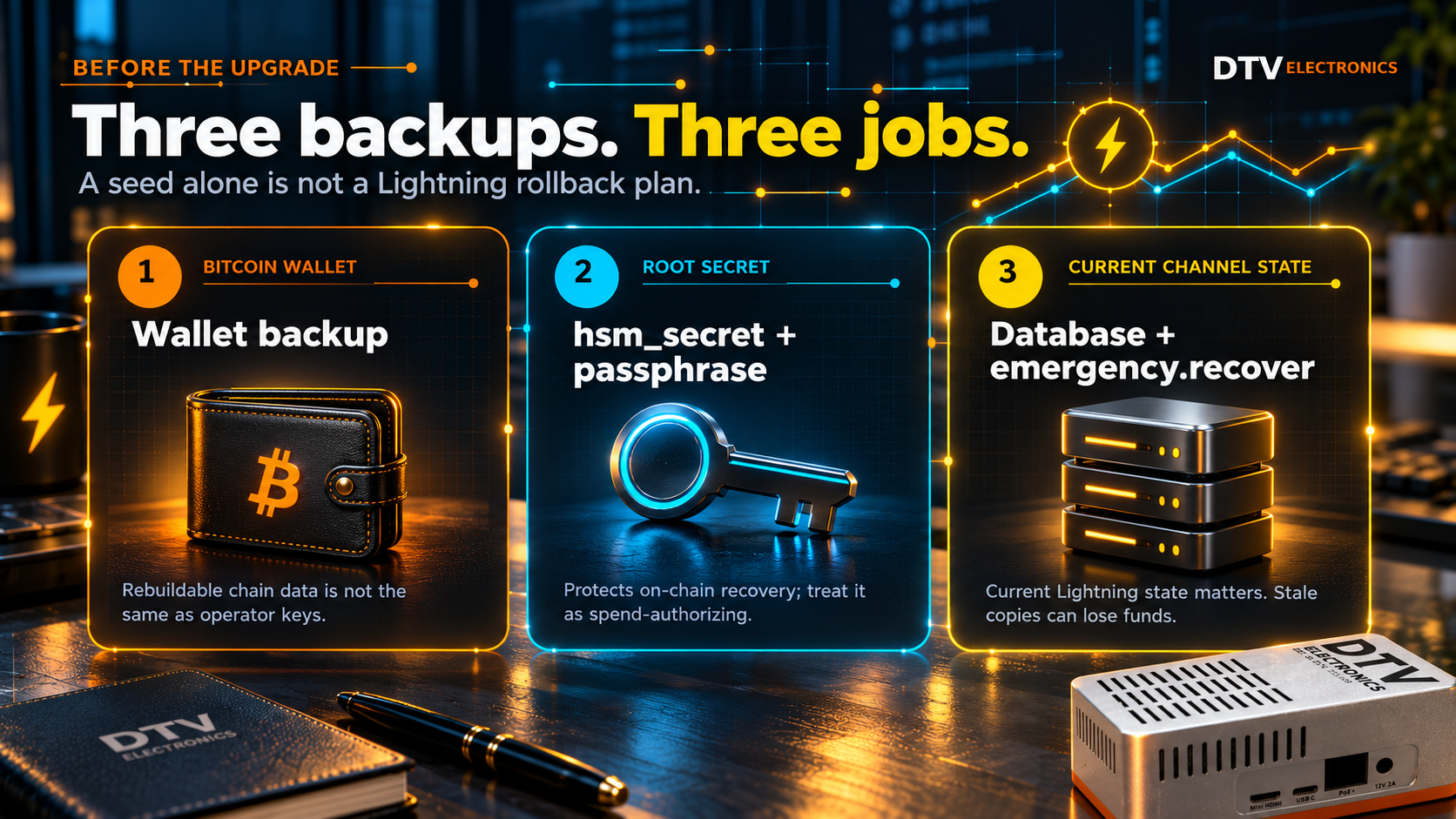
“Back up the node” is too vague. Bitcoin Core wallet data, rebuildable blockchain data, and live Lightning channel state have different recovery properties.
Bitcoin Core wallet backup
If Bitcoin Core wallet functionality is in use, back up every loaded wallet before the upgrade. The software-specific backupwallet RPC safely copies the current wallet file to a destination path:
bitcoin-cli -rpcwallet="WALLET_NAME" backupwallet "/mounted-backup/WALLET_NAME-pre-upgrade.dat"
Repeat this for each wallet returned by listwallets. Store the backup on another device, not only on the same NVMe that holds the live node. Protect it according to the value and privacy of the wallet.
The blockchain and chainstate consume most of the disk, but they can be reconstructed from the Bitcoin network. Wallets, configuration, Tor keys, and other operator-specific data cannot be treated as disposable; Bitcoin Core documents these as distinct files in its data directory. A complete clean-shutdown snapshot can reduce recovery time. Keep a separate, verified wallet backup as well.
Core Lightning root secret and static channel recovery file
Core Lightning documents three backup components: the hsm_secret, emergency.recover, and the database. The root secret is sufficient for recovering on-chain funds, but it is not sufficient by itself for recovering funds committed to channels.
For nodes created with Core Lightning v25.12 or later, the official documentation describes a 12-word mnemonic root secret and provides this software-specific command for extracting it from an unprotected or appropriately configured secret:
lightning-hsmtool getsecret "$LIGHTNINGDIR/hsm_secret"
Treat the output as spend-authorizing secret material. Record it offline and do not redirect it into an ordinary shell-history, cloud-sync, or log workflow. Operators using an HSM passphrase must preserve that passphrase separately as well.
emergency.recover changes when a channel is opened, so a copy made before the node had its current channels is incomplete. Core Lightning recommends updating that backup whenever a new channel is opened. Static channel recovery also depends on peer cooperation and is a last-resort recovery path, not a normal rollback mechanism.
Core Lightning database backup
Lightning requires current state. Core Lightning explicitly warns that restoring a stale snapshot can cause permanent loss of channel funds and recommends real-time database replication rather than casual snapshot copies.
If your node does not already use a supported replication method, the safest maintenance snapshot is a cold copy made only after lightningd has completely stopped. The advanced backup documentation warns that copying the SQLite database while it is being written can produce a corrupted backup. It also explains that journal or WAL files may be required during recovery.
Do not copy a live lightningd.sqlite3, call it a backup, and assume it is safe.
3. Read the release notes before choosing the target
Do not upgrade because a dashboard displays an update badge. Read every release note between your installed version and the target version.
For Bitcoin Core, check:
- operating-system and architecture support;
- data-directory or wallet migrations;
- removed or changed configuration options;
- resource changes that matter on a small server;
- RPC changes used by Lightning, monitoring, or wallet software.
For example, Bitcoin Core 31.0 increased the default database cache on systems where at least 4 GiB of RAM is detected and warns that container memory detection can lead to out-of-memory conditions. Its release notes provide -dbcache=450 as a way to retain the previous setting. That does not mean every CmRat needs the override. It means the operator should compare the release’s memory behavior with the compute module and container limits actually in use.
For Core Lightning, check database migrations, plugin compatibility, deprecated options, and architecture-specific artifacts. The v26.06.9 release provides signed manifests and reproducible ARM binaries, but it also states that nodes which have run newer development builds cannot downgrade to the 26.06.x release because their database schema is newer.
4. Verify downloads before installing them
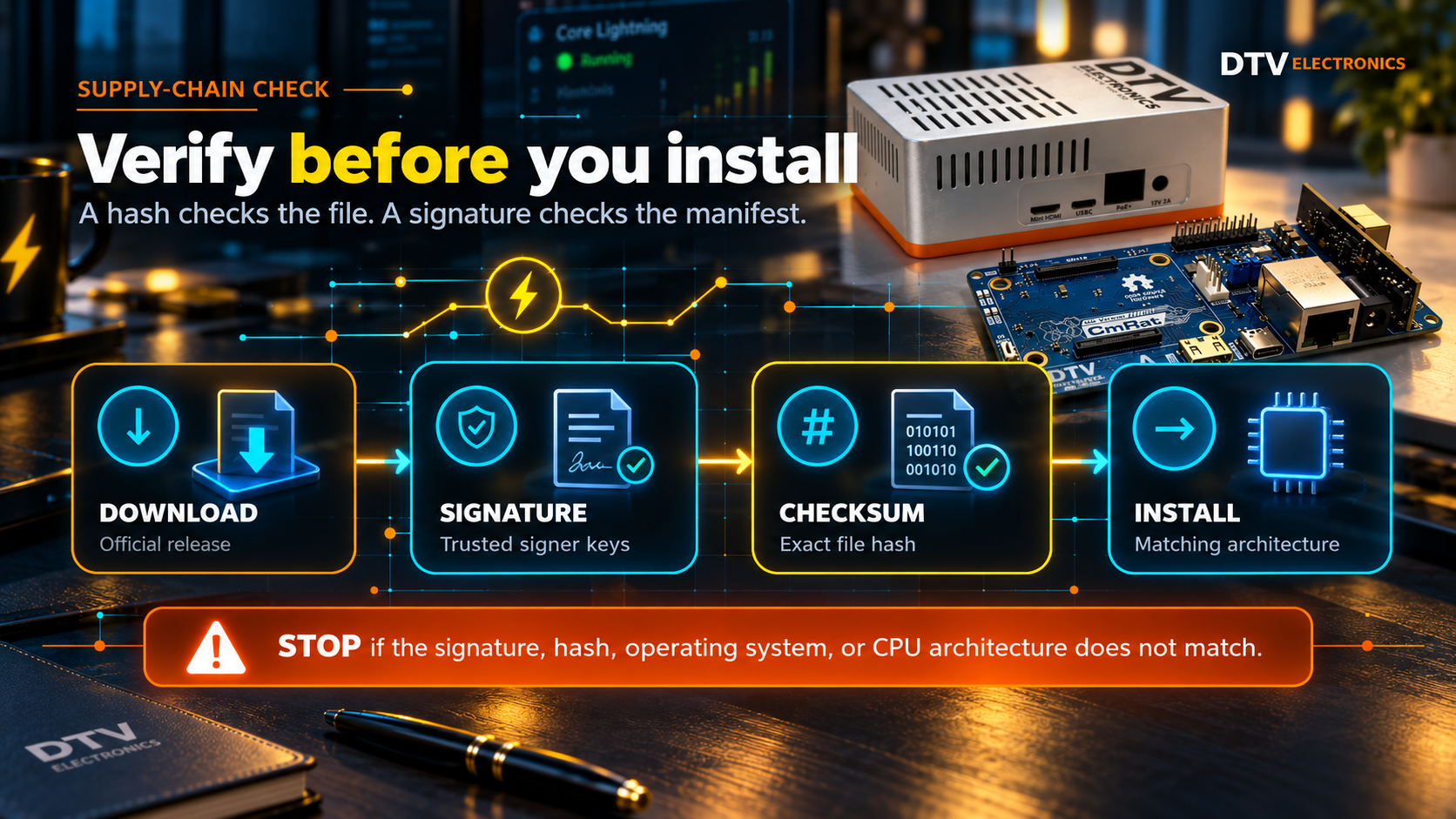
A checksum confirms that a file matches a manifest. A signature helps establish that the manifest came from release signers you chose to trust. You need both checks.
Bitcoin Core’s official download instructions provide SHA256SUMS, SHA256SUMS.asc, signer-key guidance, and Linux verification commands. The project’s verification tool also validates the checksum manifest through multiple signatures before checking release-file hashes.
# Bitcoin Core: software-specific release files,
# standard verification tools
sha256sum --ignore-missing --check SHA256SUMS
gpg --verify SHA256SUMS.asc SHA256SUMS
For Core Lightning v26.06.9, use the manifest that matches the selected architecture. ARM64 and ARMv7 have separate signed manifests:
# Example for the matching CLN manifest
gpg --verify SHA256SUMS-v26.06.9-arm64.asc SHA256SUMS-v26.06.9-arm64
sha256sum -c SHA256SUMS-v26.06.9-arm64 --ignore-missing
Determine the architecture from the running system. Do not assume that every CmRat is ARM64 merely because several supported compute modules use ARM processors. Stop if the hash fails, the signature is not from keys you intentionally trust, or the archive does not match the operating system and architecture.
5. Stage the upgrade instead of changing everything at once
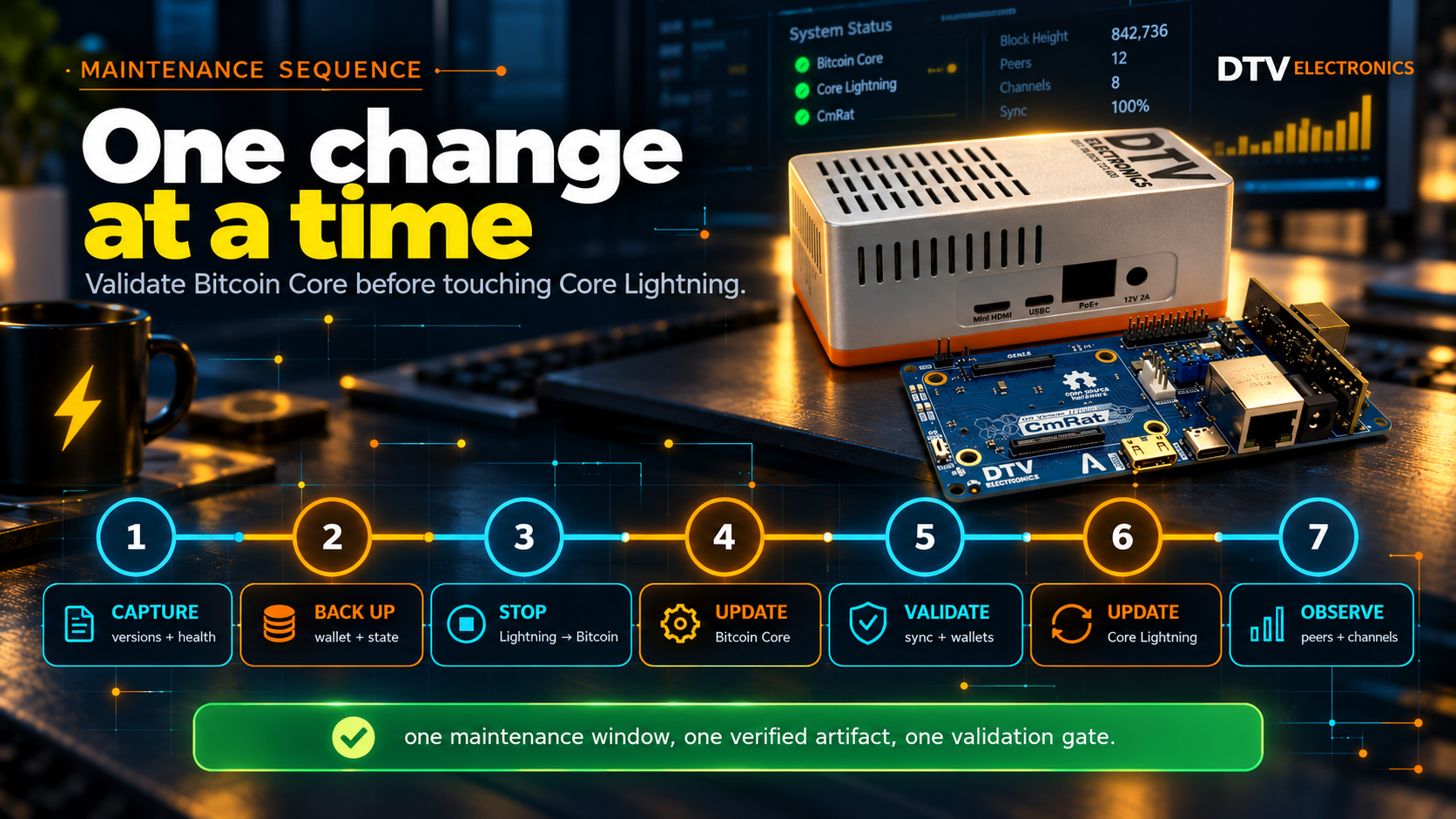
The following sequence is generic safe-update guidance, not a CmRat-specific installer:
- Choose a maintenance window with no planned channel opens, closes, splices, large payments, or other administrative changes.
- Capture the pre-update status and complete the backups described above.
- Stop Core Lightning gracefully and confirm the process has exited.
- Make the cold Lightning database copy, if that is part of your backup design.
- Stop Bitcoin Core gracefully and wait for full shutdown.
- Preserve copies of the old binaries, configuration, service definitions, plugin versions, and exact installation notes.
- Install or replace Bitcoin Core only.
- Start Bitcoin Core and verify it before touching Core Lightning.
- Install or replace Core Lightning only.
- Start Core Lightning and complete the final checks.
The official graceful-stop RPCs are:
bitcoin-cli stop
lightning-cli stop
Bitcoin Core’s release notes likewise instruct operators to shut down the older version and wait for complete shutdown before replacing the program. Core Lightning says an upgrade follows the same installation method used originally, whether that was a release binary or a source build.
If an appliance distribution or container stack manages these processes, use that platform’s supported stop, backup, and update path. Do not overwrite files inside a managed container and do not mix a distribution update with manual binary replacement unless its documentation explicitly supports that model.
6. Validate each stage
After Bitcoin Core starts, run the earlier checks again:
bitcoin-cli getnetworkinfo
bitcoin-cli getblockchaininfo
bitcoin-cli listwallets
Confirm the expected version, network, wallet list, peer connectivity, block height, verificationprogress, initialblockdownload, and warnings. Review the service log for database errors, repeated crashes, permission failures, and out-of-memory events. Allow the node to catch up before starting Lightning.
Then start Core Lightning and check:
lightning-cli getinfo
lightning-cli listfunds
Confirm the expected version, node ID, network, block height, peers, on-chain outputs, and channels. Verify that required plugins started, the Bitcoin backend is reachable, and normal peer reconnection occurs. Keep the node under observation before declaring maintenance complete.
7. Build a rollback plan that respects Lightning state
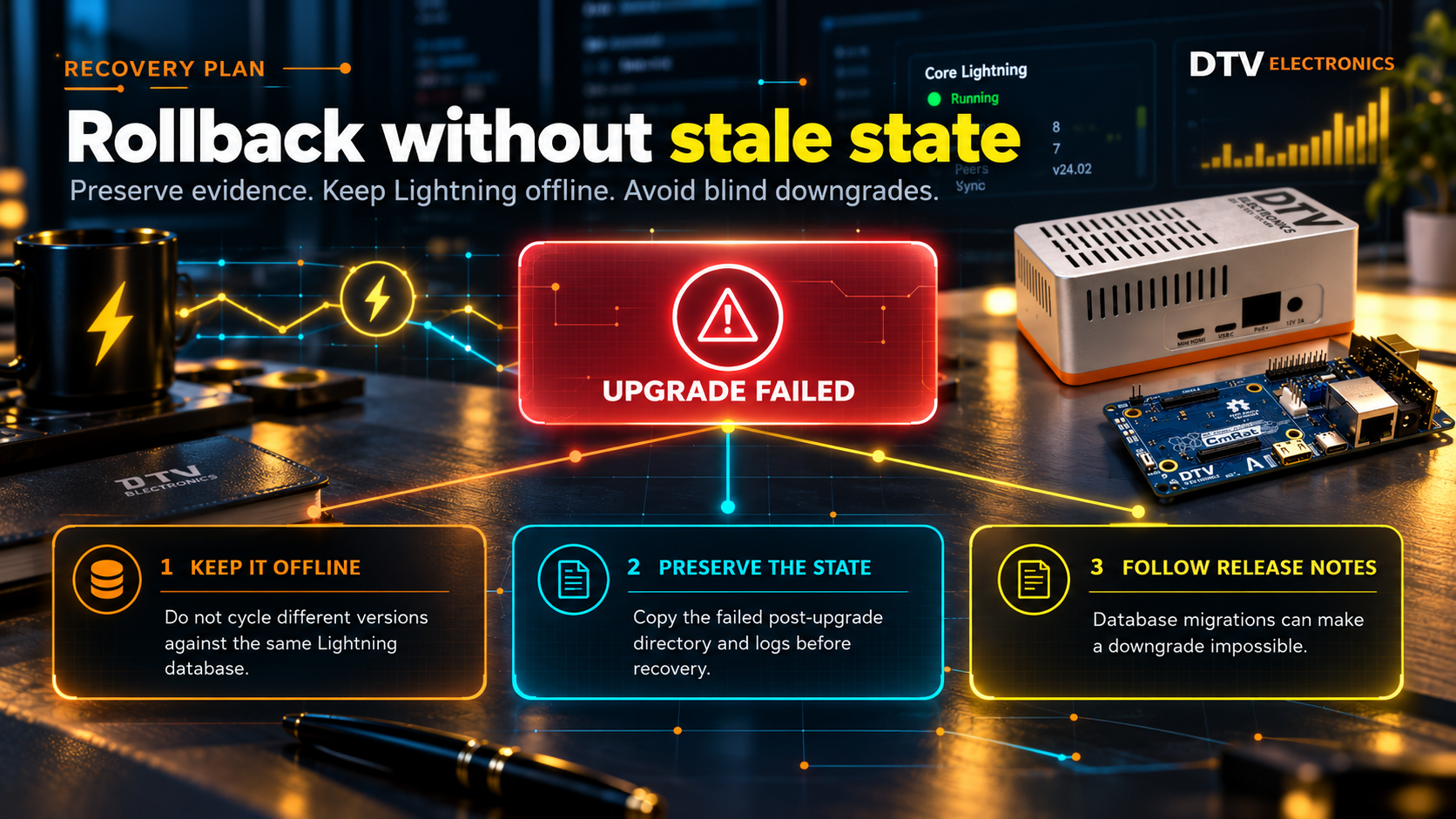
A useful rollback plan is written before the update and includes the old software, old configuration, backup locations, and the condition that triggers rollback.
Bitcoin Core rollback may be possible by restoring the previous program and, where necessary, a matching clean-shutdown data snapshot. Release notes should decide the exact path because migrations and removed settings vary by version.
Core Lightning is stricter. Its documentation says upgrades often change the database and downgrades are generally not possible. Reinstalling the old binary over a migrated database is therefore not a safe default. Restoring an older Lightning database and putting it online can expose stale channel state.
If Core Lightning fails after an upgrade:
- Keep it offline.
- Preserve the failed post-upgrade directory and logs.
- Do not repeatedly start different versions against the same database.
- Check the target release notes and database-migration guidance.
- Use the exact pre-upgrade cold backup only as part of a recovery procedure that preserves current channel state.
Bitcoin chain data can be rebuilt. Lightning channel state cannot be recreated from a seed alone.
Final checklist
- [ ] Architecture, versions, directories, wallets, plugins, and free space recorded
- [ ] Every Bitcoin Core wallet backed up to separate storage
- [ ] Core Lightning root secret and any HSM passphrase recorded and secured
- [ ] Current
emergency.recoverpreserved after the latest channel opening - [ ] Current Lightning database protected with a supported replication method or cold backup
- [ ] Release notes read for every skipped version
- [ ] Download signatures and hashes verified
- [ ] Lightning stopped before the maintenance copy
- [ ] Bitcoin Core upgraded and validated before Core Lightning
- [ ] Post-upgrade versions, sync, wallets, funds, channels, peers, plugins, and logs checked
- [ ] Old binaries and configuration retained without assuming database downgrade compatibility
A safe node update is deliberately boring. One maintenance window, one verified artifact at a time, and no guesswork about backups or rollback.
FAQ
Does CmRat have one official Bitcoin or Lightning update command?
No. CmRat is a carrier-board and microserver platform that can run different Linux-based software stacks. The supported update command comes from the operating system, container stack, or node distribution installed on it.
Can I back up Core Lightning by copying hsm_secret?
That protects recovery of on-chain funds, but it is not enough by itself for funds in active channels. Core Lightning also documents emergency.recover and current database state as separate recovery components.
Can I copy lightningd.sqlite3 while the node is running?
Core Lightning warns that an ordinary copy during SQLite writes may be corrupt. Use a documented replication method or stop lightningd fully before making a cold copy.
Should I update Bitcoin Core and Core Lightning together?
Use one maintenance window if needed, but stage the changes. Validate Bitcoin Core first, then update and validate Core Lightning. This isolates failures and confirms that Lightning’s backend is healthy before Lightning starts.
Is keeping the old binary enough for rollback?
No. Configuration changes and database migrations may prevent a downgrade. Core Lightning specifically warns that database upgrades are generally not reversible. Keep old software, configuration, and an appropriate pre-upgrade backup, then follow the release-specific recovery path.
Get an affordable yet reliable node
-

Barebones CmRat LCD Screen, Switch Controller and Cables
$ 9.99 -
Bitaxe Gamma Retail Edition with Multi-Region PSU and Case
$ 74.99 -

Bitaxe Supra Retail Edition with Multi-Region PSU and Case
$ 64.99 -
Bitaxe Ultra Retail Edition with Multi-Region PSU and Case
$ 59.99 -
Bitforge Nano Solo Bitcoin Miner | Open-Source 2.6TH/s Dual BM1370 ASIC for Home Mining
$ 169.99 -
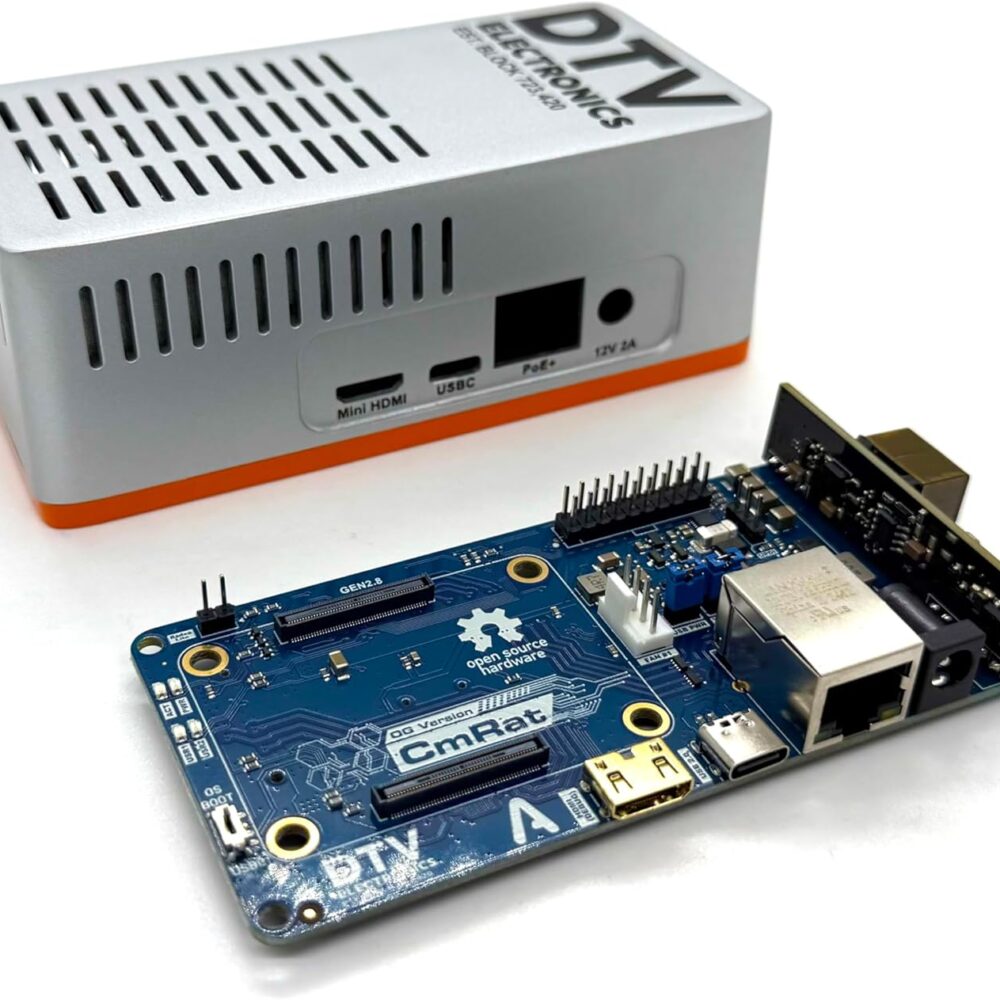
CmRat v2.8 Carrier Board & Case for RPI Raspberry Pi CM4/CM5 & Radxa CM3/CM5
$ 39.99
