

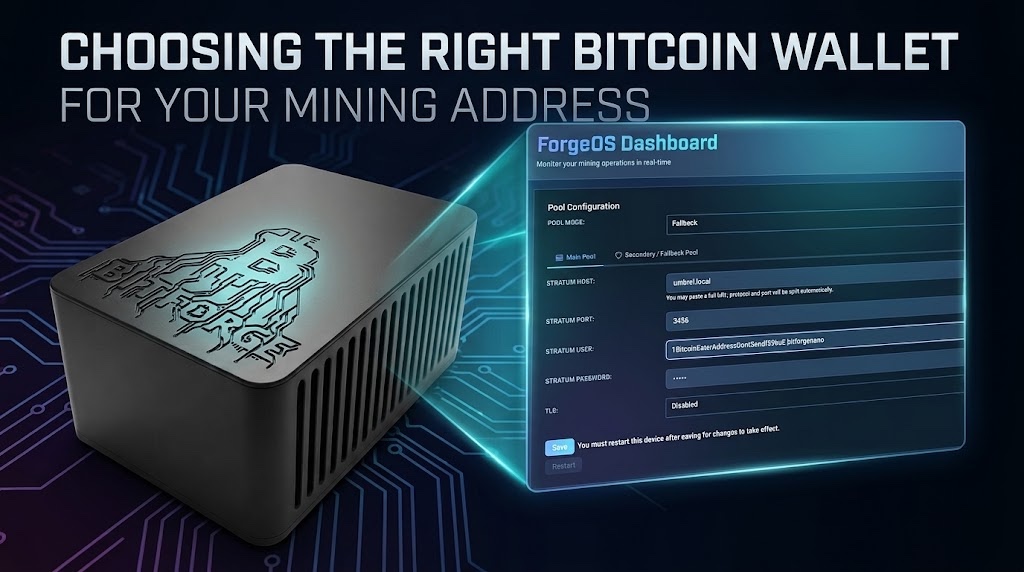
As you set up your miner running AxeOS/ForgeOS (or any other miner firmware), one of the most critical steps in configuring your device is selecting the right Bitcoin wallet. In bitcoin mining, your wallet isn’t just where you store your BTC, it is what you use to generate your payout address for the mining pool.
When your device finds a block or hits a payout threshold in your chosen pool, the pool sends your rewards directly to the address configured in your AxeOS dashboard. Understanding how wallets work, and choosing a secure one, ensures your hard-earned block rewards and payouts land safely in your hands.
This guide walks you through the different wallet types so you can pick the best solution before pasting your payout address into AxeOS.
👉 Get the Bitforge Nano with BTC or Fiat on the DTV Electronics Store (Worldwide) 🌍
👉 Get the Bitforge Nano with Fiat on Amazon (Worldwide) 🌍
What Is a Wallet in the Context of Bitcoin Mining?
A Bitcoin wallet is software (and sometimes hardware) that manages your cryptographic keys, your private keys, which grant control over your bitcoin.
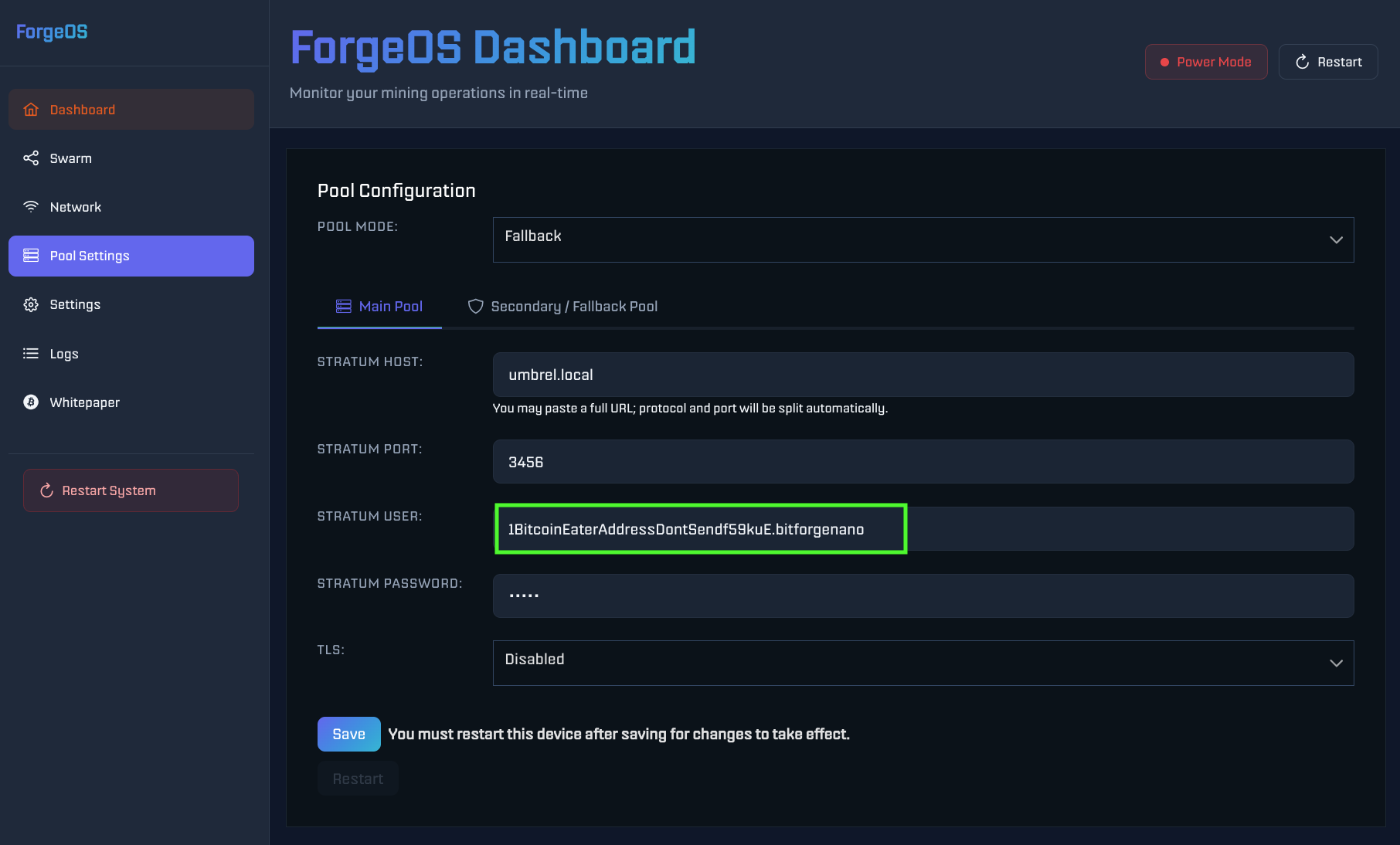
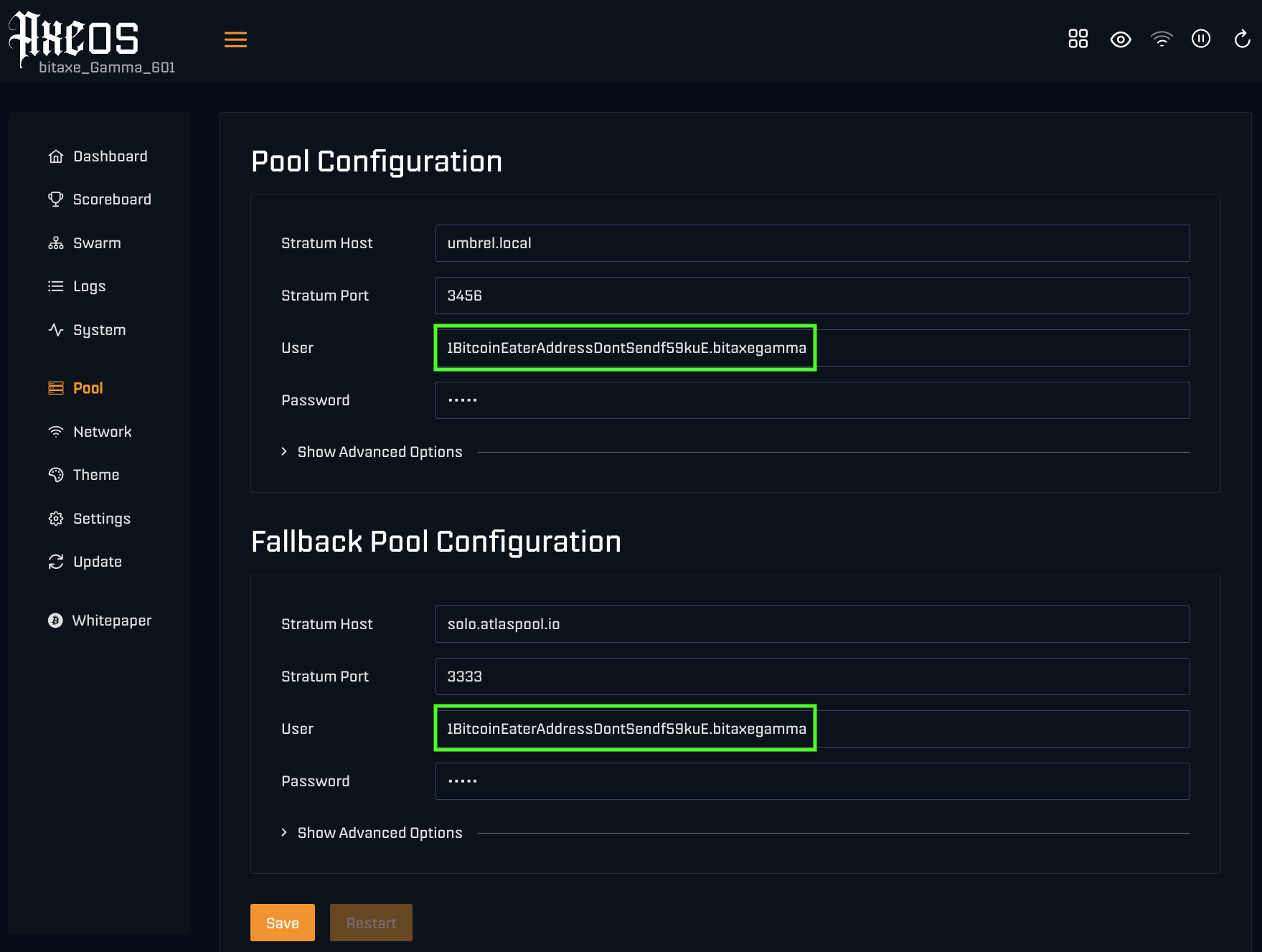
When configuring AxeOS, you will copy a public receiving address generated by your wallet and paste it into the AxeOS Pool settings page. You will also a append a worker name, in case you have more than one miner and you want to recognize them. There are two primary custody models for this wallet:
- Custodial: A third party (like an exchange) holds your private keys and manages security on your behalf.
- Non-Custodial: You hold and control your private keys directly, giving you full control over your payouts.
Hot Wallets: Convenient for Initial Setup
Hot wallets are software applications connected to the internet (accessible via mobile, desktop, or browser). You can quickly generate a receiving address in a hot wallet to paste into your miner.
Pros
- User-Friendly: Ideal for quick setups and real-time balance tracking.
- Low Cost: Free to download and use.
- Quick Access: Easy to spend or move mining rewards.
Cons
- Security Risks: Being constantly online exposes keys to malware, phishing, and device compromise.
- Device Dependency: If your phone or computer is lost or hacked, your funds are at risk without an offline seed backup.
Popular Hot Wallets
- Mobile Apps: BlueWallet offer clean interfaces to generate addresses.
- Desktop Apps: Electrum or Sparrow Wallet provide advanced controls for managing addresses and key control.
Using an Exchange Wallet for Bitcoin Mining Payouts
Newcomers often consider using an address from an exchange account (e.g., Coinbase, Binance, Kraken) as their Bitcoin payout address. While simple, it introduces risks.
Pros
- Zero Setup Effort: No need to manage seed phrases immediately; just copy the deposit address provided by the exchange into AxeOS.
- Immediate Liquidity: Mined coins go straight to an active trading market.
Cons
- “Not Your Keys, Not Your Coins”: The exchange owns the private key controlling your address.
- Address Cycling Issues: Some exchanges frequently change user deposit addresses. If a static address configured in AxeOS is deprecated by the exchange, you risk losing pool payouts.
- Custodial Risk: Account freezes, withdrawal limits, or exchange insolvency can lock you out of your payouts.
- KYC / Privacy Friction: Exchange addresses tie your home-mined Bitcoin payouts directly to your real-world identity (Know Your Customer). This destroys the inherent privacy of earning fresh mining rewards and can trigger unnecessary tax liabilities, account compliance flags, or account freezes for frequent micro-payouts.
DTV Electronics Tip: If you really want to use an exchange address, ensure the exchange provides a static, permanent Bitcoin deposit address, and plan to move to a non-custodial wallet as soon as possible.
Hardware Wallets: The Gold Standard for Bitcoin Miners
Hardware wallets store private keys on dedicated, offline devices. For securing block rewards and solo-mining payouts configured via AxeOS, hardware wallets are strongly recommended.
Pros
- Top-Tier Security: Private keys remain air-gapped or offline, immune to computer malware.
- Full Sovereignty: You directly own the keys controlling your AxeOS payout destination.
- Physical Verification: Transactions require physical confirmation on the device itself.
Cons
- Upfront Cost: Devices range from $50 to $200+.
- Learning Curve: Requires careful physical backup of recovery seed phrases.
Recommended Hardware Wallet for Bitcoin mining
When selecting hardware to generate your Bitcoin payout address, air-gapped and fully open-source models align best with open-source mining architecture.
SeedSigner: The Ultimate Choice for AxeOS Users
SeedSigner is the top recommended hardware wallet for managing your Bitcoin address generation and payout security.
- 100% Stateless & Air-Gapped: SeedSigner uses a camera and screen to sign transactions via optical QR codes. It has no Wi-Fi, Bluetooth, or microcontrollers that store your seed persistently, keeping your keys entirely isolated.
- DIY & Open-Source: Built using off-the-shelf components (like a Raspberry Pi Zero) and stateless software, aligning perfectly with the open-source, self-sovereign ethos of AxeOS.
- Cost-Effective: Extremely affordable to build while offering maximum security for your mining rewards.
Hot Wallets vs. Hardware Wallets for AxeOS
| Feature | Hot Wallet | Exchange Wallet | Hardware Wallet (SeedSigner) |
| Primary Use in AxeOS | Quick address generation | Direct-to-exchange payouts | Cold storage for rewards |
| Security Level | Moderate | Low (Third-party risk) | Maximum (Offline / Air-Gapped) |
| Key Ownership | You | Exchange | You |
| Best For | Testing & small payouts | Immediate selling | Long-term holding (HODLing) |
Security Best Practices for AxeOS Users
- Back Up Your Seed Phrase Offline: Write down your 12- or 24-word recovery phrase on paper or stamp it into metal. Never save it digitally or take a photo of it.
- Double-Check Your AxeOS Address Entry: Malware can alter text on your clipboard. Always visually verify the payout address pasted into the AxeOS web dashboard against the address displayed on your wallet screen.
- Keep Firmware Updated: Keep your hardware wallet firmware (and your AxeOS installation) up to date with official releases.
- Test Your Address: Before running your hardware continuously, verify that a small test payout or test transaction successfully reaches the address generated by your wallet.
Setting Up Your Bitcoin Payout Address
To complete your setup, generate a receiving address using your wallet (preferably SeedSigner or another non-custodial wallet), log into your Bitcoin Miner Dashboard, navigate to the Pool Settings, and paste your address into the designated user/address field. Save and restart the miner, your device is now configured to point all valid work and payouts directly to your secure wallet.
👉 Get the Bitforge Nano with BTC or Fiat on the DTV Electronics Store (Worldwide) 🌍
